AWS Lambda Managed Instances with Java 25 and AWS SAM – Part 4 Monitoring, unsupported features, challenges and pricing
Introduction
In part 1 of the series, we explained the ideas behind AWS Lambda Managed Instances and introduced our sample application. In part 2, we explained what a Lambda Capacity Provider is and how to create it using AWS SAM. Part 3 was about how to create Lambda functions and attach them to a capacity provider. In this article, we’ll cover the following topics: monitoring, currently unsupported features, current challenges, and pricing.
Capacity Provider Monitoring
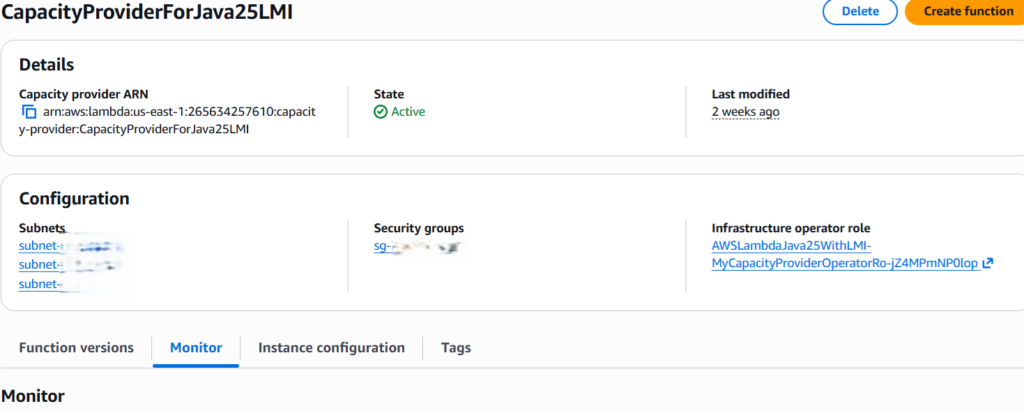
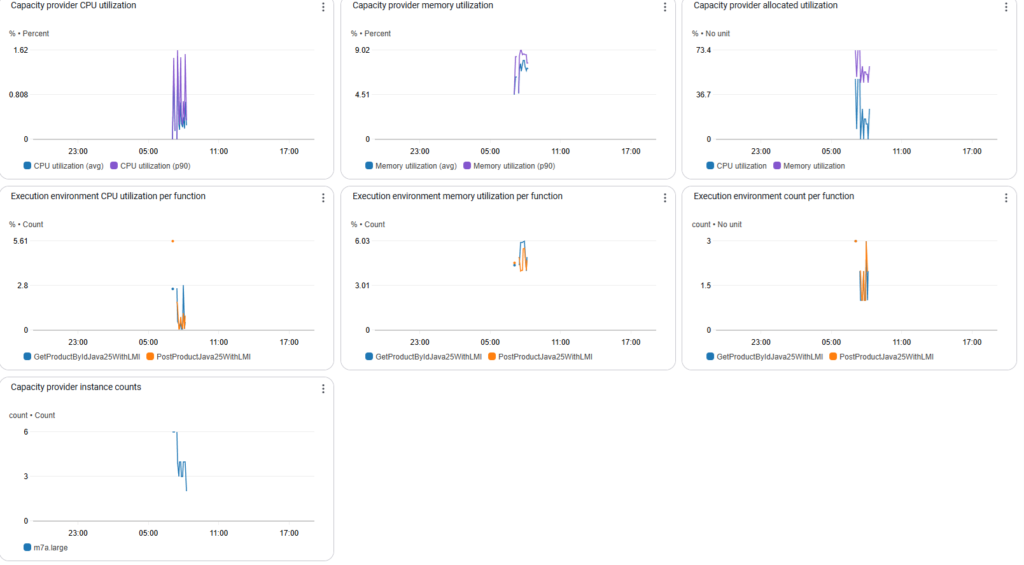
Capacity Provider provides various metrics. To see them, you can select the Capacity Provider by name and go to the “Monitoring” tab, or select the metrics from CloudWatch:
The following metrics are provided:
- Capacity provider CPU utilization
- Capacity provider memory utilization
- Capacity provider allocated utilization
- Execution environment CPU utilization per function
- Execution environment memory utilization per function
- Execution environment count per function
- Capacity provider instance counts
Unsupported Features
These Lambda features, which we know from the default compute type, are currently unsupported:
- SnapStart
- Provisioned concurrency
- Reserved concurrency
They all made sense when used with Firecracker microVM-based execution environment, and don’t make sense with (pre-provisioned) EC2-based LMIs, which don’t suffer from the cold starts.
Currently, not all instance types are supported:
- No GPU support
- No t-family (t2, t3, t4g) support
For a list of supported instance types, go to the AWS Lambda Pricing page and select our AWS Region.
Current challenges
- It’s not possible to switch between Lambda Default and Lambda Managed Instances, also due to different concurrency models. I personally would find it better if there were such an easy switch possibility between both compute types, because at the beginning and at the low scale, Lambda default compute time is nearly always a preferable and cheaper choice (even with the purchased saving plans or reserved instance). The switch to LMI compute type makes sense in the future, at some point in time, and only for certain workloads (for example, for those which have reached high-traffic, steady-state workloads)
- It’s not possible to cost-effectively set up Lambda with LMI compute type for staging and test environments with low consumption or for test purposes only. The possible workaround is to set min and max execution environments to 0 when starting to invoke a Lambda function, reset those values (for example, to min=1 and max=2), after end using it, set min and max execution environments back to 0. This requirement changes in IaC and re-deploying the stack multiple times, which takes time and impedes the user experience. It would be better if the min execution environment value could be set to 0, independent of the max value, and scale the execution environment down to 0 is possible (with explicit choice in the IaC) in case there was no usage for a long (configurable) period of time.
Lambda Managed Instance pricing
Lambda Managed Instances pricing has three components:
- Request charges: $0.20 per million requests
- Compute management fee: 15% premium on the EC2 on-demand instance price for the instances provisioned and managed by Lambda (Premium for each instance type provided below)
- EC2 instance charges: Standard EC2 instance pricing applies for the instances provisioned in your capacity provider. You can reduce costs by using Compute Savings Plans, Reserved Instances, or other EC2 pricing options
Note that Lambda Managed Instances functions will not pay separately for the execution duration of each request, unlike Lambda (default) compute type functions.
Event Source Mappings: For workloads using provisioned Event Poller Units (EPUs) with event sources like Kafka or SQS, standard EPU pricing applies.
Conclusion
In this article, we covered the following topics: monitoring, currently unsupported features, current challenges, and pricing.