AWS Lambda Managed Instances with Java 25 and AWS SAM – Part 7 Implement scheduled scaling
Implement scheduled scaling
Recently, Amazon EventBridge Scheduler added 619 new SDK API actions. One of these actions adjusts the Lambda function’s minimum and maximum execution environments for Lambda Managed Instances (LMI) on a recurring or one-time schedule. This is useful for predictable traffic patterns, such as scaling up before peak hours and scaling down during off-peak hours. We can use CloudFormation or the latest versions of AWS CDK or AWS CLI to perform this action. In our example, we’ll use AWS CLI to adjust the Lambda Function Scaling Configuration, for which we’ll use the PutFunctionScalingConfig API as a universal target. We’ll use the Lambda function with the name GetProductByIdJava25WithLMI, which we introduced in part 1.
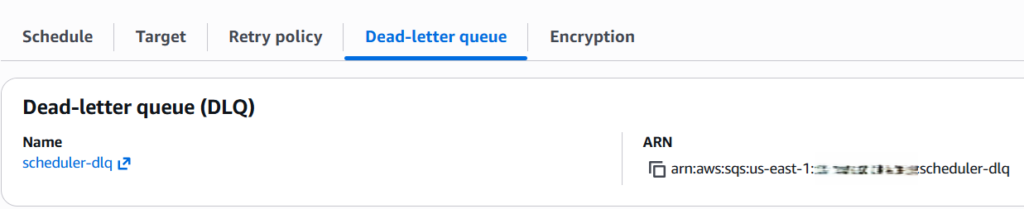
First of all, let’s create an SQS dead-letter queue, which we’ll use for our action:
Next, let’s create an EventBridge Scheduler IAM execution role with the name scale-lambda-managed-instances-eventbridge-scheduler-role. This role grants permission to call the lambda:PutFunctionScalingConfig and send the message to the dead-letter queue on our target function.
This is how the trusted policy looks for the IAM role:
And this is how the IAM policy looks (use the ARNs of the Lambda function and SQS dead-letter queue here):
Please replace the values of {aws_region} and {aws_account_id} with your own values, and adjust the Lambda function and SQS Queue names if needed.
Now, let’s create the scheduler:
Let’s explain what happens here:
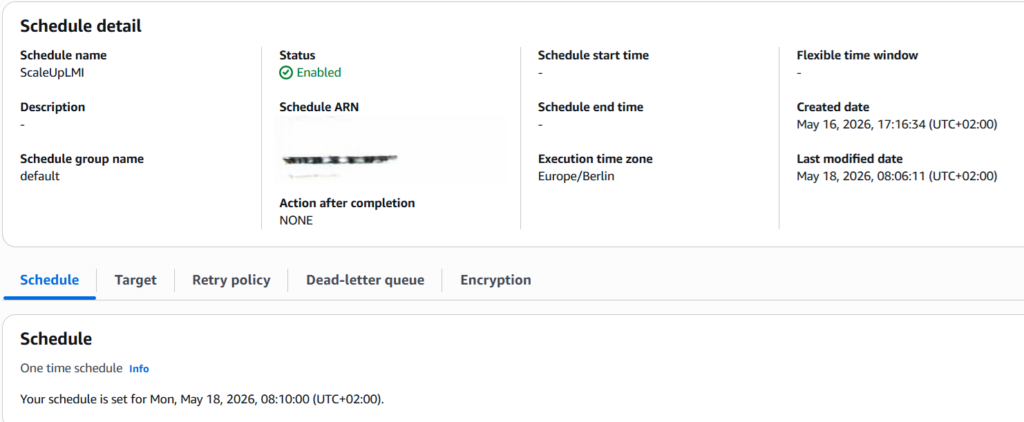
- First, we create the schedule with the name ScaleLambdaManagedInstances using a one-time schedule (executes at 08:10 on May 18, 2026). You can use other Schedule types in EventBridge Scheduler, like cron-based expressions.
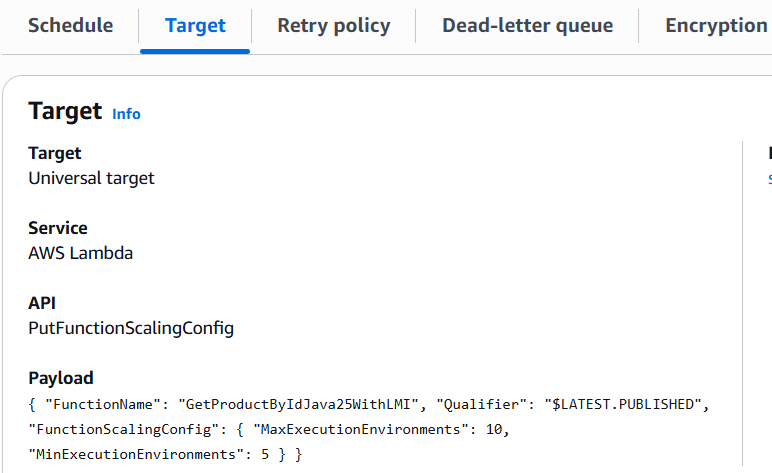
- Then, we target the PutFunctionScalingConfig Scheduler API as a universal target.
- Next, we specify the SQS dead-letter queue ARN created above
- Then, we specify the IAM execution Role ARN created above
- Next, we specify the new MinExecutionEnvironments and MaxExecutionEnvironments values in the Input payload
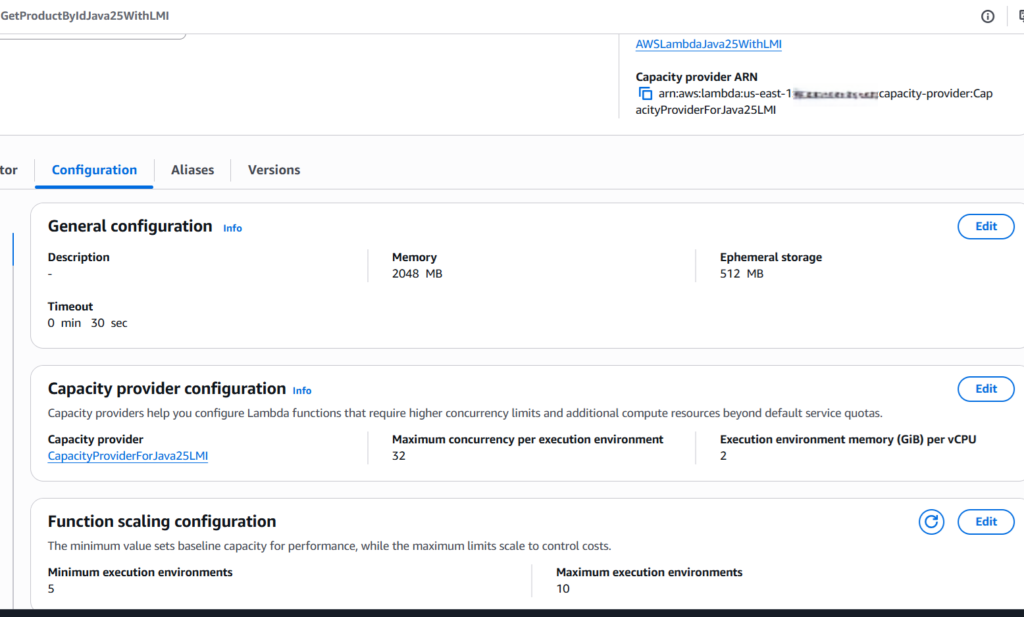
- Finally, as the scheduler input, we specify the name of the Lambda function and its qualifier (usually $LATEST.PUBLISHED), for which we’d like to change the Function Scaling Configuration. In our case, we set MinExecutionEnvironments to 5 and MaxExecutionEnvironments to 10.
- We can also optionally set the retry policy and encryption.
After creating the schedule, we’ll see something similar in the Amazon EventBridge Scheduler Service:
After the scheduler has run, we can verify that the Lambda function Scaling Configuration has changed:
It’s also very important to configure the dead-letter queue. First, I didn’t do it and configured the Lambda function Resource ARN in the IAM policy like arn:aws:lambda:{aws_region}:{aws_account_id}:function: GetProductByIdJava25WithLMI. I observed that the scheduler hasn’t been invoked and saw the errors in Amazon CloudWatch.
By configuring the dead-letter queue, I saw the exact error message:
With that, it was clear to me that I needed to append $LATEST.PUBLISHED to the ARN of the Lambda function. Please also use Troubleshooting Amazon EventBridge Scheduler in case you experience some issues.
Here, we scaled up the capacity at the given time, and in the same way we can scale it down. Things to pay attention to:
- For workloads with predictable peaks, create multiple schedules to match your traffic pattern: one to scale up your function before peak hours, and another to scale down after peak hours. Each schedule follows the same pattern with updated MinExecutionEnvironments and MaxExecutionEnvironments values.
- Scheduled scaling adjusts the provisioned floor and ceiling of execution environments, but actual scaling between min and max still responds to CPU utilization and concurrency saturation.
- If your traffic more than doubles within 5 minutes of a scheduled scale-up, you might still experience throttling as capacity is provisioned.
- When scaling to zero to deactivate a function, remember that reactivation requires an explicit PutFunctionScalingConfig call with non-zero values.
If you like my content, please follow me on GitHub and give my repositories a star!