Building AI Agents with Spring AI and Amazon Bedrock AgentCore – Part 8 Use Spring AI AgentCore long-term Memory for MCP client on AgentCore Runtime
Introduction
Create Bedrock AgentCore long-term Memory
We use Bedrock AgentCore Memory.Builder to set the memory name, description, and expiration duration, and then create the memory. By defining the memory strategies, we outline that we’ll create the AgentCore long-term memory. We used the semantic and summarization built-in memory strategies. You can also set the currently supported user preference and episodic memory strategies instead. The MemoryStrategy class offers usingBuiltInUserPreference and usingBuiltInEpisodic methods for this purpose. You can also configure the Custom Memory Strategy.
You can deploy the stack with the command:
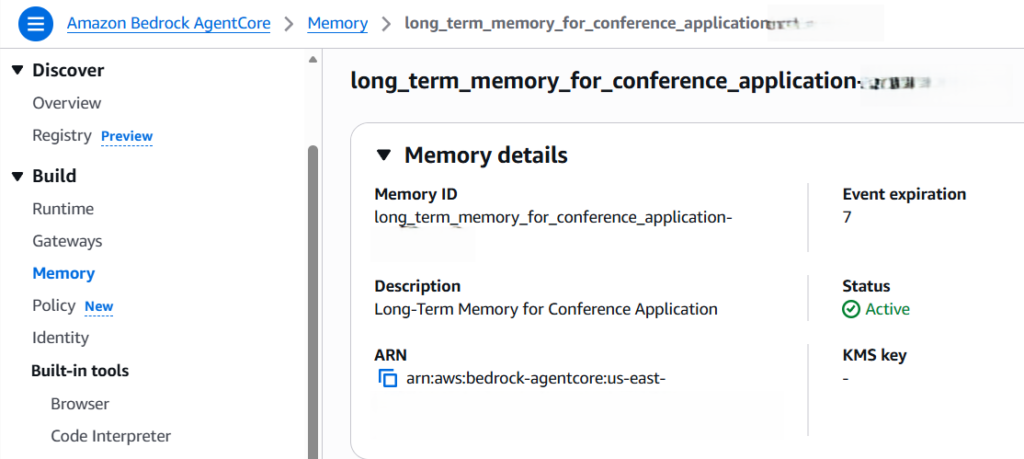
This is how the created long-term memory looks in the AgentCore Memory UI:
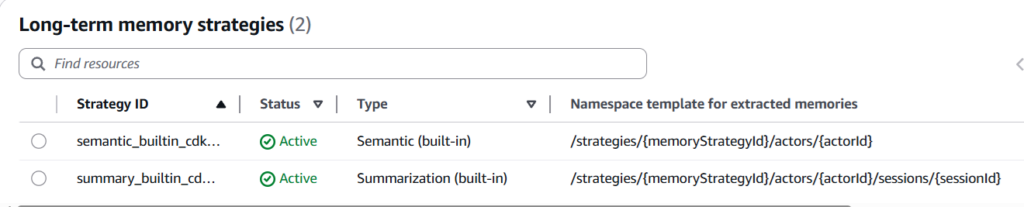
And this is how the default namespaces look:
If you’re not satisfied with the built-in configuration, for example, default namespaces, you can set your own. Here is an example of how to create a semantic memory strategy:
Other memory strategies work the same; just use the corresponding using* method. But I always start with the built-in memory strategies.
Also, the Memory ID will be printed out, which we will need to configure in our Spring AI application. We can find the same Memory ID in the service UI above.
Finally, we need to configure the following IAM permissions to allow our application running on AgentCoreRuntime to access this AgentCore Memory:
Configure Bedrock AgentCore long-term Memory in our sample application
To configure Bedrock AgentCore long-term Memory in our sample application, we need to make some changes to it. First, we need to configure some long-term memory-related properties in the application.properties:
The first required property is the AgentCore Memory ID we just created. By setting the agentcore.memory.long-term.auto-discovery to true, we use the recommended AgentCore long-term Memory autodiscovery option.
Autodiscovery behavior is:
- Queries AWS to discover all strategies configured in your memory
- Creates advisors only for supported types: SEMANTIC, SUMMARIZATION, USER_PREFERENCE, EPISODIC
- Skips CUSTOM strategy types (not supported by autodiscovery)
- Uses the first namespace if a strategy has multiple namespaces
- Uses default topK values for each strategy type
We can also override the specific settings for discovered strategies by providing explicit configuration. See the link above to find out how to do this. Another option is to use the AgentCore long-term Memory explicit configuration option, in which we need to specify each strategy manually.
Next, we need to ensure that we set ChatMemory to the ChatClient in the SpringAIAgentController. I’ll provide the generic constructor, capable of dealing with no AgentCore Memory configured or short-term or long-term memory configured:
Short-term Spring AI AgentCore Memory implements the Spring AI ChatMemoryRepository interface. This doesn’t work for long-term Spring AI AgentCore Memory. For this, we inject the list of AgentCoreLongTermMemoryAdvisors. Then we use the Advisors API to build the complete list of Advisors in the getAllMemoryAdvisors method. We use MessageChatMemoryAdvisor with the ChatMemory to build the short-term memory advisor, and then we add the long-term advisors to the list. We then provide this complete list of memory advisors as an input to the defaultAdvisors method of the ChatClient.Builder.
Even if we don’t configure the AgentCore short-term or long-term Memory (or both), the same code still works without throwing any exceptions. MessageChatMemoryAdvisor and List of AgentCoreLongTermMemoryAdvisors, or both, will be null in such a case, which Spring AI treats the same way as not setting any advisors. That’s all the changes we need to make to our application to use the AgentCore long-term memory.
The last step is exactly the same as for the short-term memory: to include a custom ChatMemory Conversation ID in the ChatClient. According to the documentation, ChatMemory.CONVERSATION_ID parameter is required for all memory advisors. Calls that omit this parameter will throw an IllegalArgumentException at runtime, as there is no default conversation ID.
The Spring AI AgentCore long-term Memory supports flexible conversation ID formats:
- Simple: user123 → actor: user123, session: default-session
- With Session: user123:session456 → actor: user123, session: session456
This is how the code looks for it in the SpringAIAgentController:
As shown above, we defined a static CONVERSATION_ID. However, if you’d like to use individual IDs depending on the actor or user providing the prompt, you can add the login functionality and set the individual user ID. Finally, we set the value of the conversation ID as the parameter of the memory advisor.
Then we need to rebuild the Docker image of our application and deploy it to the Amazon ECR. After that, we need to configure the correct ecrImageURI in the cdk.json. We covered those concepts in parts 2 and 4.
Finally, we need to redeploy the AgentCore Runtime stack with the command:
Now, we can use InvokeRuntimeAgent class to send prompts to our agent running on AgentCore Runtime. We described this in part 5 and can reuse these prompts to apply the talks to the conferences.
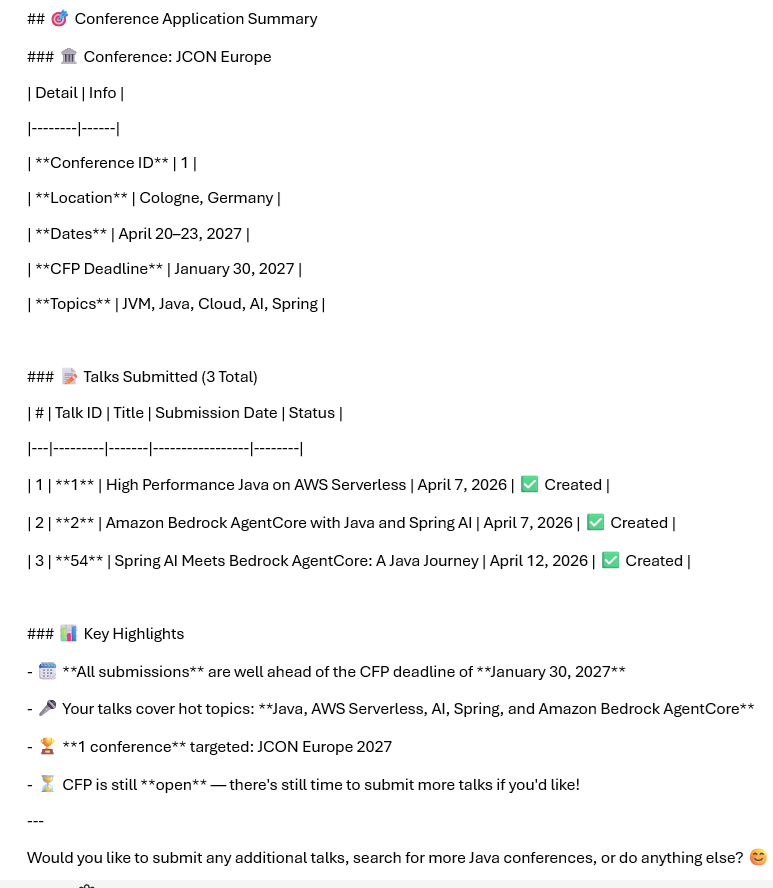
But now, similarly to the example of the short-term memory in part 7, we can ask such questions as: “You recently applied for some conferences for me. Can you provide me with the details?” The agent will give us a reply, which shows that it provided the answer using the AgentCore long-term Memory:
Conclusion